How to Write a Website Accessibility Statement in Israel (With a Template)
The short answer: Regulation 35E of Israel's service accessibility regulations requires a statement, in a prominent place on the site, with three things: information on the accessibility adjustments you made, a way to contact you to report a problem or request an adjustment, and your accessibility coordinator's details if you're required to appoint one. Everything else - standard, level, parts not yet accessible, last-updated date - is what turns the statement from a formality into a credible document. A ready template waits at the end.
The accessibility statement is one of the only documents on a site that no customer reads, but everyone checking accessibility reads first. It's also where I see the most copy-paste: the exact same text on completely different sites, sometimes including the previous company's name that someone forgot to delete.
What the Regulations Require, Exactly
Regulation 35E of the Equal Rights for Persons with Disabilities (Service Accessibility Adjustments) Regulations (Hebrew) is fairly short. It requires you to state "in a prominent place" on the site, and in your app if there is one, a statement that includes:
- Information on the accessibility adjustments you made.
- The accessibility coordinator's details and how to reach them - if you're required by law to appoint one. Not every business is, and it's worth checking with a qualified professional rather than guessing.
- Contact details for reporting a missing accessibility adjustment or requesting one.
On top of that, the regulation points to the Israeli standard IS 5568's guidance on accessibility statements, and adds one important requirement: anyone granted an exemption from a specific adjustment must provide alternative access and publish both the exemption and the alternative in the statement.
That's the minimum. Now for the part that separates a statement that ticks the box from one that actually helps you.
What's Worth Adding, Even if It Isn't Spelled Out
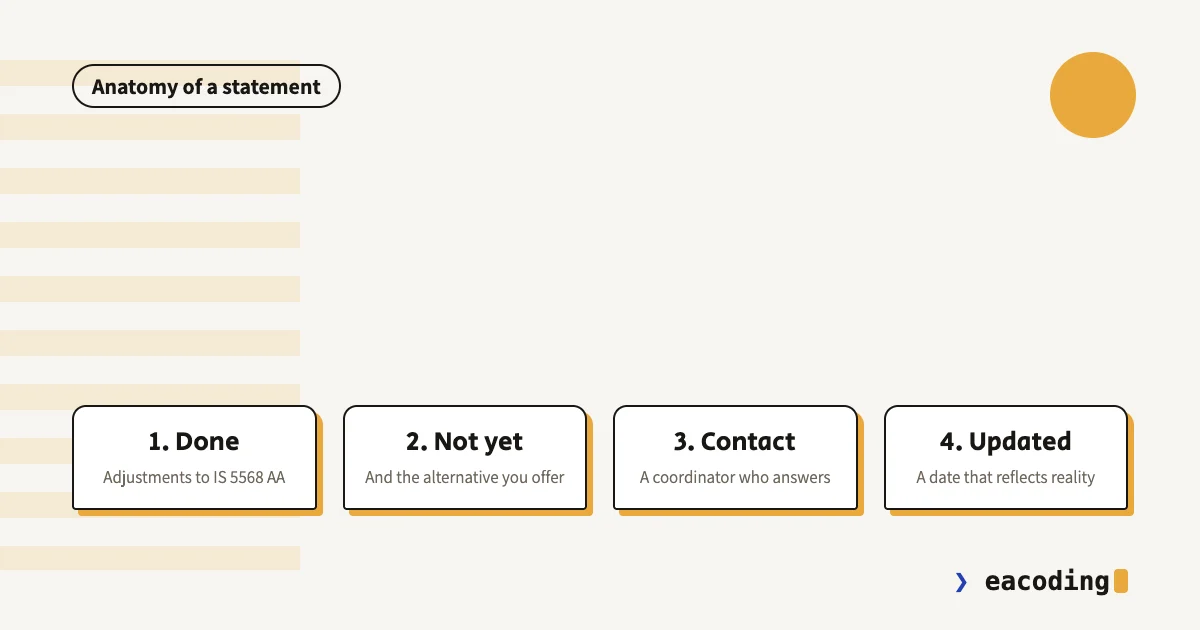
- What the site was made accessible to. IS 5568 at level AA, and to what extent. One sentence, but it shows you know what the standard requires.
- What still isn't accessible, and why. A third-party component you don't control, old PDF files, an archive not yet handled. Honesty here isn't weakness: it shows you checked, and it usually comes with an alternative ("you can get this information by phone").
- How the site was tested. Manual testing with keyboard, screen reader, in major browsers. You don't need to list every tool, but "tested" says more than "accessible".
- Last-updated date. A 2019 statement on a site redesigned in 2025 describes nothing real.
- Physical accessibility arrangements, if you have an office, shop or clinic that receives visitors.
Four Things You Never Write in a Statement
"The site is fully accessible." Almost no site is fully accessible, and this sentence turns every problem anyone finds into proof the statement is false.
"The site is made accessible by an accessibility plugin." That describes a tool, not adjustments. A floating widget doesn't meet most of the standard's requirements, and writing that it's your solution documents that the solution is missing.
Contact details nobody answers. An inbox nobody reads, or a general call-center number. Someone contacting you about accessibility should get a response, and that's exactly where a small issue can be resolved before it becomes a big one.
Another company's name. Sounds funny, happens all the time. Read your statement word by word at least once.
Where to Put It
A separate page, at a stable URL, linked from the footer of every page on the site. That's where people look for it, and it's the simplest way to satisfy "a prominent place". If you have an app, the regulations require the statement there too.
And the page itself must be accessible. An accessibility statement inside a scanned PDF, or on a page with light gray text on white, is a joke people have already heard.
A Template You Can Adapt
This is a starting point, not a document to copy as is. Everything in square brackets gets filled in for your site, and every sentence that isn't true for you gets deleted.
Accessibility Statement
Business name is committed to providing equal service to all customers, and works to make this site accessible to people with disabilities.
Adjustments made: This site was made accessible in accordance with the Equal Rights for Persons with Disabilities (Service Accessibility Adjustments) Regulations, 2013, and Israeli Standard IS 5568 at level AA. Among other things: full keyboard navigation, alt text for images, labels on all form fields, color contrast per the standard, proper heading structure, and the ability to pause moving content. The site was tested manually with keyboard and screen reader / in browsers: ....
Parts not yet accessible: e.g. the appointment booking system is run by an external provider and is not fully accessible. Appointments can also be booked by phone ...
Accessibility at our office: if relevant
Ran into a problem? We'd like to hear about it and fix it. Coordinator or responsible person, phone: ..., email: ....
This statement was last updated on date.
For a live example, you can peek at this site's own accessibility statement.
Questions That Keep Coming Up
"I'm a small business. Do I need a statement too?" The regulations have carve-outs for small businesses, but they're conditional, and in some cases you're still required to publish on the site how to contact you to receive the service. Don't assume an exemption without checking it. I wrote here about who must make their site accessible.
"Who writes the statement, me or the developer?" Whoever made the site accessible knows what was done and what wasn't, so they should write the technical part. But responsibility for the statement and for answering inquiries lies with the site owner.
"How often should it be updated?" After every significant change to the site, and at least once a year to make sure it's still accurate. If the contact details change, immediately.
Bottom Line
A good accessibility statement is short, specific and honest: what you did, what's not done yet, and who to contact. It doesn't replace making the site accessible, but a bad statement can definitely work against you.
Want an accessible site and a statement that describes reality? On every accessibility project I fix the code, and the audit is done by a certified accessibility professional I work with - so the statement rests on a real check. Talk to me and we'll start there.
FAQ
What must a website accessibility statement include in Israel?
Under Regulation 35E of the service accessibility regulations: information on the accessibility adjustments you made on the site, contact details for reporting an accessibility problem or requesting an adjustment, and your accessibility coordinator's details if you're required to appoint one. If you received an exemption from a specific adjustment, the exemption and the alternative you offer must appear in the statement too.
Where should the accessibility statement go?
The regulations require the statement to appear in a prominent place on the site, and in your app if you have one. In practice: a separate page, linked from the footer of every page, and often from the accessibility menu or main navigation as well.
Can I copy an accessibility statement from another site?
The structure, yes. The content, no. The statement is supposed to describe the adjustments made on your site and what is still not accessible on it. A copied statement claiming things that weren't done is a document that works against you.
More from the blog
Is an Accessibility Plugin Enough to Comply With Israeli Law?
A floating accessibility widget doesn't make a site comply with IS 5568. What the widget really does, where it fails, why it sometimes hurts, and what does cover you.
7 min readHow Do You Back Up a Website Properly? What, Where, and How Often
A backup that actually saves you: what must be in it (not just files), where never to store it, how often by site type - and how to know it works at all.
6 min readDoes a Small Business Really Need a Blog? When It Brings Customers, and When It's a Waste of Time
A blog pays off for a small business on one condition. Who it brings customers to, how many posts you need, what to write, and the first lead from ChatGPT.
7 min read
Reaching me is the easy part.
A few lines in the form if you prefer writing - or straight to the channel you already use. Either way, it's me answering.