How Do You Back Up a Website Properly? What, Where, and How Often
The short answer: a real backup passes three tests - it includes the database and not just files, it's stored off the site's own server, and it has been verified with a real restore at least occasionally. Frequency? Match the site's rate of change: a store backs up daily, a blog weekly, a static site after every update. Everything else - below.
"We have backups" is one of the sentences I trust least - not because people lie, but because most backups have never been tested. The difference between "we have a backup" and "we have a backup that works" always reveals itself at the worst possible moment: after a hack, after an update that broke everything, or after one deletion that was a little too quick.
What Do You Even Back Up? Depends on the Site
A WordPress site is two things, not one. The files - theme, plugins, images - and the database, where all the content, users and settings live. Backing up only the files is a common and bitter mistake: you'll get back a beautiful, empty site. Any serious backup solution captures both together, from the same moment in time.
A store adds a third layer: orders, customers and inventory change hourly. A nightly backup of an active store means a restore day can lose a full day of orders - which is why busy stores back up more frequently, and why the restore test matters double.
A static site (the kind I build) is the easiest: the whole site derives from source code. With the code in version control, backup is built into the way of working itself - another quiet advantage in the platform choice.
Where It's Stored - and the Mistake That Turns a Backup Into Decoration
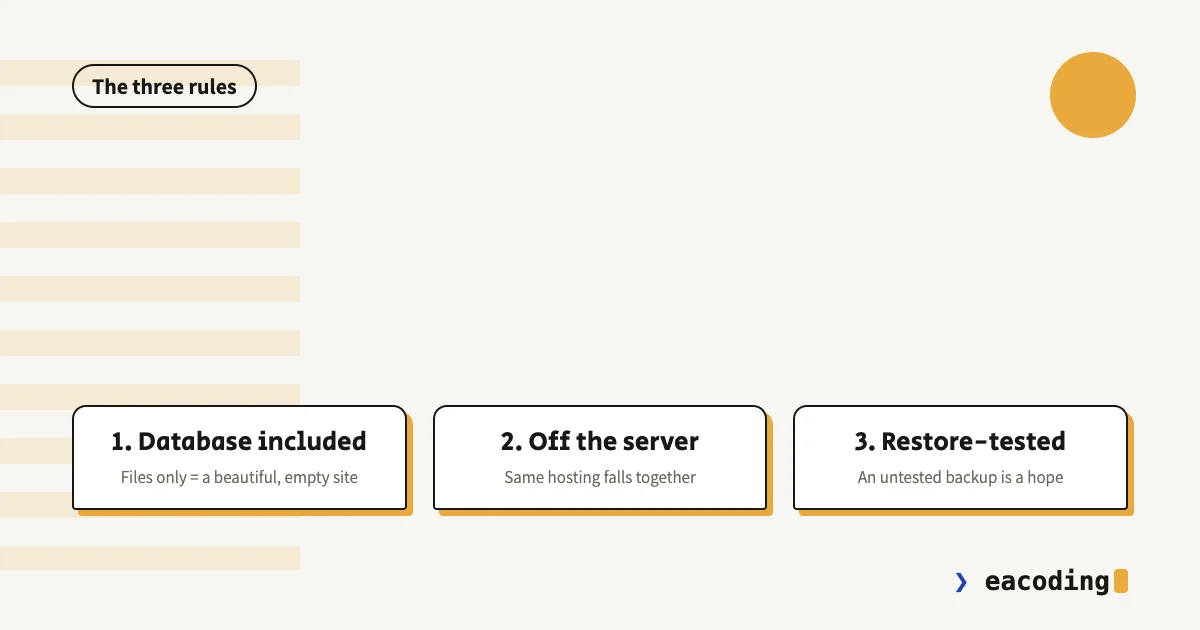
The classic mistake: a backup stored on the same server the site runs on. It feels like a backup, but everything that takes the site down - a breach, a fault at the hosting provider, a suspended account - takes it down too. A real backup lives elsewhere: external cloud storage, the backup service's own storage, or at least a completely separate account.
And adopt the modest version of the famous 3-2-1 rule: two copies in two different places, one of them yours - a periodic copy downloaded to your machine or your own cloud. It's also an ownership matter: a backup that exists only at a vendor is one more key held by someone else.
How Often? By What Hurts to Lose
The right question isn't "how often do we back up" but "how much work are we willing to lose":
- An online store, or any site taking orders - daily at minimum. A lost day = lost orders and angry customers.
- A site with a blog or updated content - weekly, plus a manual backup before any big change.
- A brochure site that rarely changes - a backup after every update is enough, provided it actually happens.
- And before every core or plugin update - always, regardless of schedule. That's the net under the tightrope.
The backing up itself is a machine's job, not human memory's: scheduled automatic backups are the requirement, manual ones the supplement.
The Test That Turns Hope Into a Backup
A backup that has never been restored is a guess. Every few months - or at least once a year - do a real restore: stand up a copy of the site from the backup in a test environment and confirm it boots, the content is there, and the forms work. Half an hour of testing, and "we have backups" finally becomes a fact.
If you hold a maintenance contract - this is exactly the question to ask the vendor: when was my backup last restored, and what came out.
The Five-Minute Checklist
- Is the backup automatic? (Not "I download files when I remember")
- Does it include the database?
- Is it stored off the site's server?
- Does the frequency match the site's rate of change?
- Has anyone ever restored from it, in a controlled test?
- Can you reach it without whoever built the site?
Six yeses - you're ahead of most of the market. Fewer - now you know exactly what to fix.
Bottom Line
A backup is insurance that costs almost nothing and pays out exactly when everything burns. The formula is short: automatic, database included, off-server, at the pace of change - and verified with a real restore.
Not sure where your backups stand, or is the answer "we'd have to ask whoever built it"? Send me a message - we'll check together, and if something's missing we'll fix it before it's truly missing.
FAQ
What should a website backup include?
On WordPress: the files (theme, plugins, media) AND the database - the content, orders and users live in the database, and a files-only backup leaves you without the site's heart. A static site needs its source code; a store also needs orders and inventory.
Where should a website backup be stored?
Off the site's own server. A backup sitting on the same hosting falls with it - a breach, a provider fault or an accidental deletion takes both the site and its backup. The right destination is external cloud storage or the backup service's own, plus a periodic copy in your hands.
How often should a website be backed up?
By its rate of change: a store or any site taking orders - daily at minimum, because every lost day is lost orders. A content site updated weekly - weekly. A static brochure site - after every change. And above all: a backup never tested with a real restore is a hope, not a backup.
More from the blog
Is an Accessibility Plugin Enough to Comply With Israeli Law?
A floating accessibility widget doesn't make a site comply with IS 5568. What the widget really does, where it fails, why it sometimes hurts, and what does cover you.
7 min readHow to Write a Website Accessibility Statement in Israel (With a Template)
The accessibility statement under Regulation 35: what the regulations require in it, where to put it, what never to write, and a template you can adapt to your site.
7 min readDoes a Small Business Really Need a Blog? When It Brings Customers, and When It's a Waste of Time
A blog pays off for a small business on one condition. Who it brings customers to, how many posts you need, what to write, and the first lead from ChatGPT.
7 min read
Reaching me is the easy part.
A few lines in the form if you prefer writing - or straight to the channel you already use. Either way, it's me answering.