What Does Website Maintenance Include, and Do You Really Need It?
The short answer: website maintenance is five things - updates, backups, security, monitoring and routine checks. A WordPress site needs all of them on an ongoing basis; a static site needs almost none of them. Everything else is detail, and the detail is exactly what this guide covers.
"The site is live - so we're done, right?" That's the question at the end of every project, and the honest answer is: depends which site you built. Some sites you really can forget about for months; others, without a hand on the wheel, turn slow, hacked or simply broken within half a year - exactly when your most important customer tries to leave their details.
What Ongoing Maintenance Actually Covers
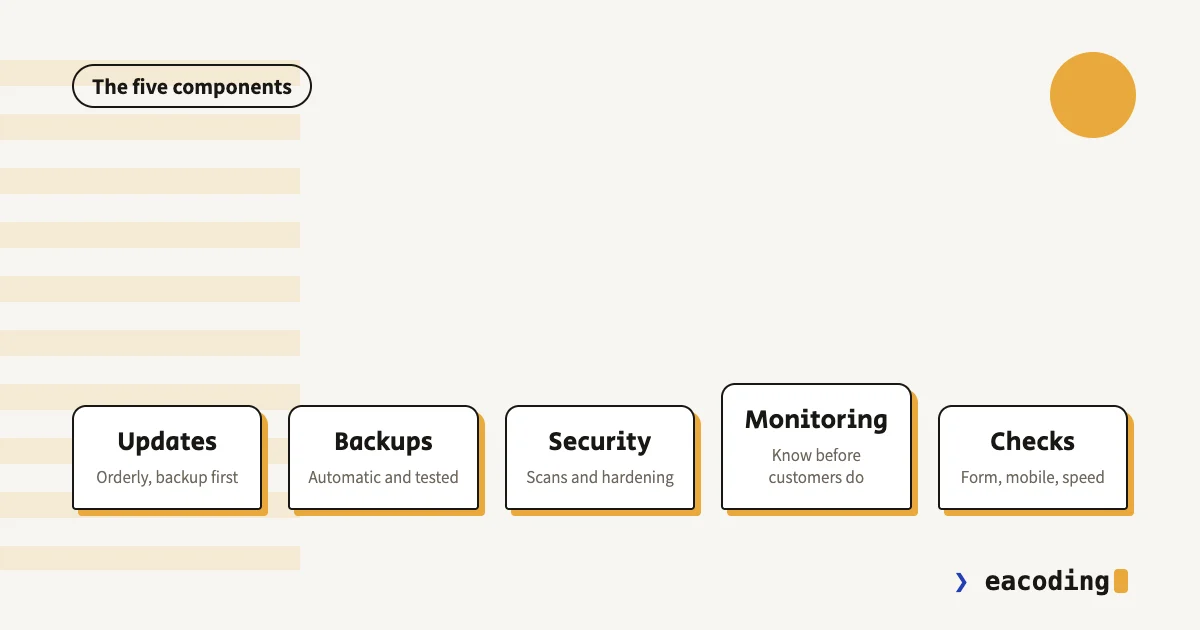
Updates. Core, theme and plugins receive security and compatibility updates constantly. The non-obvious part: you don't blindly auto-update everything - a major update can break the design or another plugin. Real maintenance is orderly updating, with a backup before and a check after.
Backups - that someone has tested. The difference between "we have backups" and "we restored from backup successfully" always reveals itself at the worst moment. A healthy backup is automatic, stored off the site's own server, and tested with a real restore at least occasionally.
Security. Malware scans, limiting login attempts, and removing old users who shouldn't be there anymore. For most businesses the breach doesn't come from a hacker who chose them - it comes from a bot scanning thousands of sites and finding an outdated plugin. What to do if it already happened - here.
Monitoring. Someone (or something) that knows the site is down before customers find out. Automatic uptime checks and a security-certificate check - both are cheap to free, and both save you the pleasant call that starts with "did you know your site's been down for two days?".
Routine checks. Once a month: fill in the form and confirm the email arrived, walk the main pages on a phone, run a speed check. A form that sends to nowhere is the quietest leak there is - nothing looks broken, there are just no enquiries.
WordPress vs a Static Site: The Maintenance Gap
The biggest difference in the cost of owning a website isn't in the build - it's here.
WordPress is a living system: core, theme and dozens of plugins updating constantly, plus a database that needs backing up. That's not criticism - it's the price of flexibility and independent editing, and it's worth it for whoever uses them. But WordPress without maintenance isn't "a site standing still" - it's a site aging backwards.
A static site (like the ones I build in Nuxt) is pre-rendered files: no database to breach, no plugins going stale, almost nothing to maintain. It's one of the least-discussed considerations in choosing a platform, and I covered it in the WordPress vs custom guide.
In other words: the maintenance question is decided on the day you pick a platform, not on the day you get a service-contract offer.
What Happens Without Maintenance
No drama on day one - quiet erosion. An outdated plugin becomes a back door and the site gets hacked without anyone noticing. Postponed updates pile up until one big update breaks everything at once. The site slows down gradually and Google quietly demotes it. And the form stops sending emails after a change at the mail provider, with nobody knowing how many enquiries were lost.
What all of these share: they don't look like a fault. They look like "business is a bit slow this month".
How to Evaluate a Maintenance Offer
No numbers - just what to ask so offers can be compared seriously:
- What exactly is included? "Maintenance" without detail is not a commitment. Updates? Backups? How many fix hours?
- What happens when the site goes down on a Saturday night? A defined response time is worth more than a long task list.
- Where are backups stored, and when was the last real restore? A mumbled answer here says everything.
- What's not included? Upgrades, design, content - get it in writing so neither side is surprised.
These questions belong to the wider set worth asking before signing with any professional.
What You Can Do Yourself
Even without a contract, four habits any business owner can adopt:
- Verify once that automatic backups exist - and that you can reach them without whoever built the site.
- Enable auto-updates for minor security releases.
- Fill in your own form on the first of every month. Two minutes, saves enquiries.
- Run the site through PageSpeed Insights monthly and watch the trend, not just the score.
And when do you need a professional after all? When there's WordPress with many plugins, when there's a store, or when the site is your main lead channel - then betting on "it'll be fine" is simply too expensive.
Bottom Line
Website maintenance isn't a scary tax and isn't a product every site must buy - it's a function of the platform you chose and how much the business leans on the site. A small static site manages almost alone; a business WordPress site without maintenance is a question of when, not if.
Not sure what your site needs? Send it to me - I'll tell you honestly whether you need monthly maintenance, a one-off checkup, or nothing.
FAQ
What does website maintenance include?
Ongoing maintenance covers system and plugin updates, automatic backups that are actually tested, uptime and security monitoring, checking forms and contact flows, and tracking speed. The scope depends on the platform: a WordPress site needs real monthly care, a static site needs almost none.
Does every website need a maintenance contract?
No. A static site with no CMS can live for months untouched. A WordPress site or an online store without maintenance is a matter of time until a fault - a postponed update is the most common way to end up with a hacked or slow site.
What can you do yourself without a professional?
Verify automatic backups exist and are actually stored, enable auto-updates for minor security releases, fill in your own contact form once a month, and run the site through PageSpeed. Core updates and fault handling are better left to someone who can restore a site when something breaks.
More from the blog
Is an Accessibility Plugin Enough to Comply With Israeli Law?
A floating accessibility widget doesn't make a site comply with IS 5568. What the widget really does, where it fails, why it sometimes hurts, and what does cover you.
7 min readHow to Write a Website Accessibility Statement in Israel (With a Template)
The accessibility statement under Regulation 35: what the regulations require in it, where to put it, what never to write, and a template you can adapt to your site.
7 min readHow Do You Back Up a Website Properly? What, Where, and How Often
A backup that actually saves you: what must be in it (not just files), where never to store it, how often by site type - and how to know it works at all.
6 min read
Reaching me is the easy part.
A few lines in the form if you prefer writing - or straight to the channel you already use. Either way, it's me answering.