Is an Accessibility Plugin Enough to Comply With Israeli Law?
The short answer: No. A floating accessibility widget changes how your site looks, but the regulations require conformance with IS 5568 at level AA, and most of its requirements are about how the site is built. A widget doesn't know what's in your image, can't attach a label to a form field, and doesn't fix a menu that won't open from the keyboard. It can be an extra on top of an accessible site, never a replacement for one.
Almost every accessibility inquiry that reaches me opens with the same sentence: "But we have an accessibility plugin." I get it. It's cheap, installs in five minutes, and leaves an official-looking icon in the corner of the screen. The problem is that the icon mostly reassures the site owner, not the people who need to use the site.
What the Widget Actually Does
Most floating widgets on the market offer roughly the same menu:
- Bigger text and spacing
- Contrast modes and grayscale
- Highlighted links and headings
- A large mouse cursor
- Stopping animations
- And sometimes an "automatic fix" that injects attributes into the code at load time
Some of that is genuinely useful. But notice what the whole list has in common: it all works on the display of what already exists. And the people who need an accessible site most - screen reader users, keyboard-only users, people with motor disabilities - don't need bigger text. They need the code to be right.
What the Widget Can't Do, However Hard It Tries
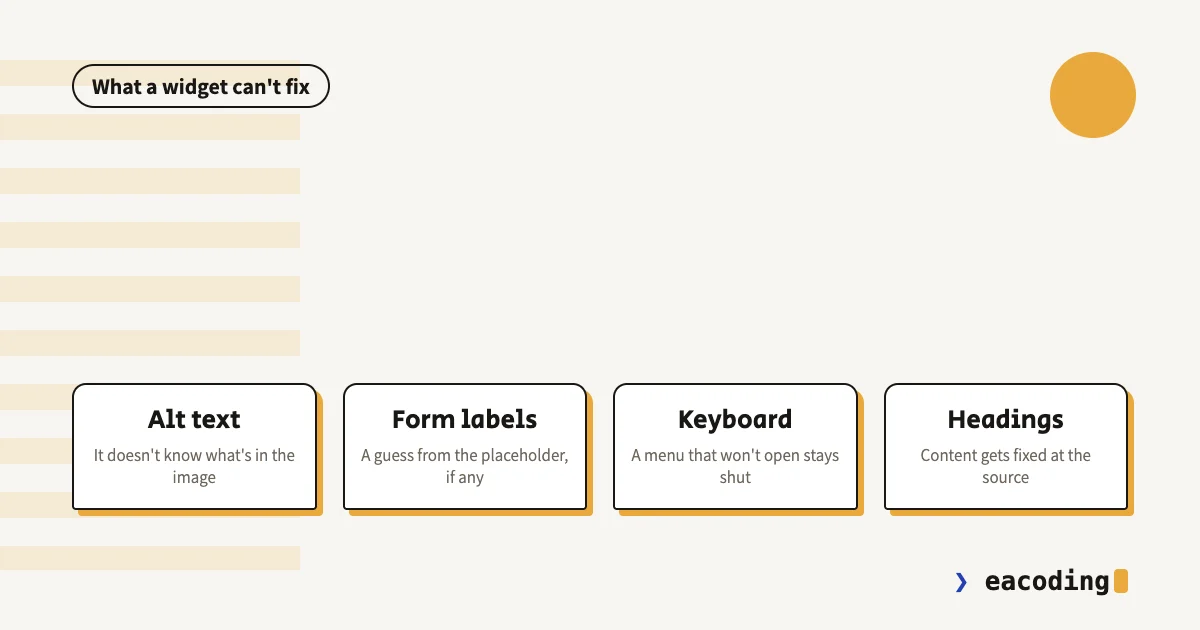
Here are four core requirements of the standard, and why a widget solves none of them:
Alt text for images. An image saying "Sale: buy one, get one on the whole collection" needs a description a screen reader can read out. The widget doesn't know what the image says. Widgets that try to guess with AI produce descriptions like "smiling woman next to a table", technically correct and completely useless to someone who wanted to know what the sale was.
Form labels. A field with no label connected in the code is announced as "edit text" and nothing more. Is it a name? A phone number? An ID number? The widget can guess from the placeholder, if there is one. When it guesses wrong, it fails silently, and nobody knows.
Keyboard navigation. A menu that only opens on mouse hover, a button built from a div, a popup that focus escapes from - all of these require changes to the site's own code. A widget that adds a "keyboard navigation" button doesn't change the fact that your menu ignores the Enter key.
Headings and content structure. A "heading" that is really just big bold text, links that all say "click here", a table that's actually a picture - that's content, and content gets fixed at the source.
And the standard requires all of these. I covered what IS 5568 requires in detail, but the bottom line is simple: most of the work lives where a widget can't reach.
Why the Widget Sometimes Does Harm
This is the part people talk about less. A blind visitor to your site already arrives with a screen reader they know inside out, tuned to the speed and voice that suit them. They don't need an accessibility menu. What actually happens with some widgets:
- Noise. The widget adds its own announcements and buttons to the page, and the screen reader reads them before the content.
- Collisions. "Automatic fixes" that inject inaccurate ARIA attributes can turn a component that worked reasonably into one that's announced wrong.
- Keyboard traps. The widget's own menu is sometimes the least accessible thing on the page.
This isn't just developers' opinion. The international accessibility community has documented these problems for years, for example in the Overlay Fact Sheet, signed by hundreds of practitioners in the field. And in the US, in 2025, the Federal Trade Commission approved a final order against one of the large overlay vendors over misleading claims that its product makes websites WCAG compliant. A product the regulator barred from claiming it guarantees compliance is not a product to build your defense on.
What About "The Plugin Includes an Accessibility Statement"?
Many widgets also offer a ready-made accessibility statement. Double caution here. The regulations require the statement to describe the accessibility adjustments you made and give a way to contact you about accessibility. A generic statement declaring an accessible site, with only a widget underneath, is a document recording in your own words that you knew what was required. I wrote a separate guide on the accessibility statement: what must be in it, and how to write it without shooting yourself in the foot.
So What Does Cover You
There's no shortcut, but there is a sensible order of work:
- A real audit. An automated tool (Lighthouse, WAVE) for a first picture, then a manual pass with keyboard and screen reader. Automated testing catches only part of the problems, and the part it misses is exactly the part a widget doesn't fix.
- Fix at the source. Alt text, labels, keyboard navigation, contrast, heading structure. On most business sites this is defined, finite work, not an endless project.
- A real accessibility statement that reflects what was done, with a contact channel someone actually answers.
- Keep it that way. Every new page, banner or embedded component can break what was fixed. Accessibility is part of maintenance, not a one-time event.
And if after all that you'd like to keep the widget for text sizing and contrast modes - go ahead. On top of a properly accessible site, it's a legitimate extra. Just remember that the browser and operating system already offer most of those options (zoom, high contrast, reduced motion), and the people who need them usually know exactly where they are.
Questions That Keep Coming Up
"The vendor said the plugin covers me legally." Ask what the contract says about the case where a lawsuit arrives. Usually the answer is in the fine print, and it's that the responsibility is yours. I'm a developer, not a lawyer, but the technical part I can say with confidence: a widget does not meet most of the standard's requirements.
"I already got a complaint, and the widget was installed." A very common situation, and it has its own order of steps: what to do in the first week after an accessibility complaint.
"My site is on Wix, which has built-in accessibility settings." Platform settings help with the infrastructure. The content, images, forms and apps you added are still your responsibility, and that's where most of the problems are.
Bottom Line
An accessibility widget is makeup, and the standard checks the skeleton. If it's all your site has, you're not covered - you only feel covered, which is the more dangerous state.
Need real work rather than a widget? Website accessibility to IS 5568 is exactly what I do: I fix the code, and a certified accessibility professional I work with audits the site. Talk to me, and we'll figure out together how much work there really is.
FAQ
Is an accessibility plugin enough for a website to comply with the law?
No. The regulations require conformance with IS 5568 at level AA, and most of its requirements concern how the site is built: alt text for images, labels on form fields, keyboard navigation, heading structure. A floating widget changes the display; it doesn't fix code and doesn't know what's in your images.
Can an accessibility plugin do harm?
Yes. Screen reader users already arrive with assistive technology set up exactly the way they like it, and a widget that meddles with the page's code can clash with it: adding noise, changing focus order, or trapping the keyboard inside its own menu.
So should I remove the plugin?
Not necessarily right away. If the site was made accessible properly, some of the widget's options are a legitimate extra. If it's all there is, the problem isn't the widget but what's missing underneath it - and that's where the work starts.
More from the blog
How to Write a Website Accessibility Statement in Israel (With a Template)
The accessibility statement under Regulation 35: what the regulations require in it, where to put it, what never to write, and a template you can adapt to your site.
7 min readHow Do You Back Up a Website Properly? What, Where, and How Often
A backup that actually saves you: what must be in it (not just files), where never to store it, how often by site type - and how to know it works at all.
6 min readDoes a Small Business Really Need a Blog? When It Brings Customers, and When It's a Waste of Time
A blog pays off for a small business on one condition. Who it brings customers to, how many posts you need, what to write, and the first lead from ChatGPT.
7 min read
Reaching me is the easy part.
A few lines in the form if you prefer writing - or straight to the channel you already use. Either way, it's me answering.