AI Agents Are Already Browsing Your Website. Is It Ready for Them?
The short answer: an AI agent succeeds on a site where the content exists as real text, the buttons and forms are properly labeled, and the important information isn't buried in images. Those are exactly the requirements of accessibility and of Google, so a site built right is already nearly ready. What's left is to check - and the check is at the end of this article.
Last time I wrote about getting a chatbot to recommend you. Since then the next stage arrived, and it's no longer the future: the major browsers are shipping an "agent mode" that browses for the user, and OpenAI released an entire browser built around the idea. Your next customer might not open your site themselves - they'll send something there.
What a Browsing Agent Actually Is
Until now an AI assistant could read the web and answer. A browsing agent takes the next step: it opens sites, moves a virtual mouse, clicks, fills forms and completes tasks. The user says "find me three air-conditioner installers around Ra'anana and leave them my details", and the agent makes the rounds instead of them.
It's not most of the traffic yet - but it's where the whole market is running, and the reason to get ahead of it is simple: an agent that gets stuck on your site doesn't call to ask. It moves on to the competitor whose site worked.
What an Agent Needs to Succeed on Your Site
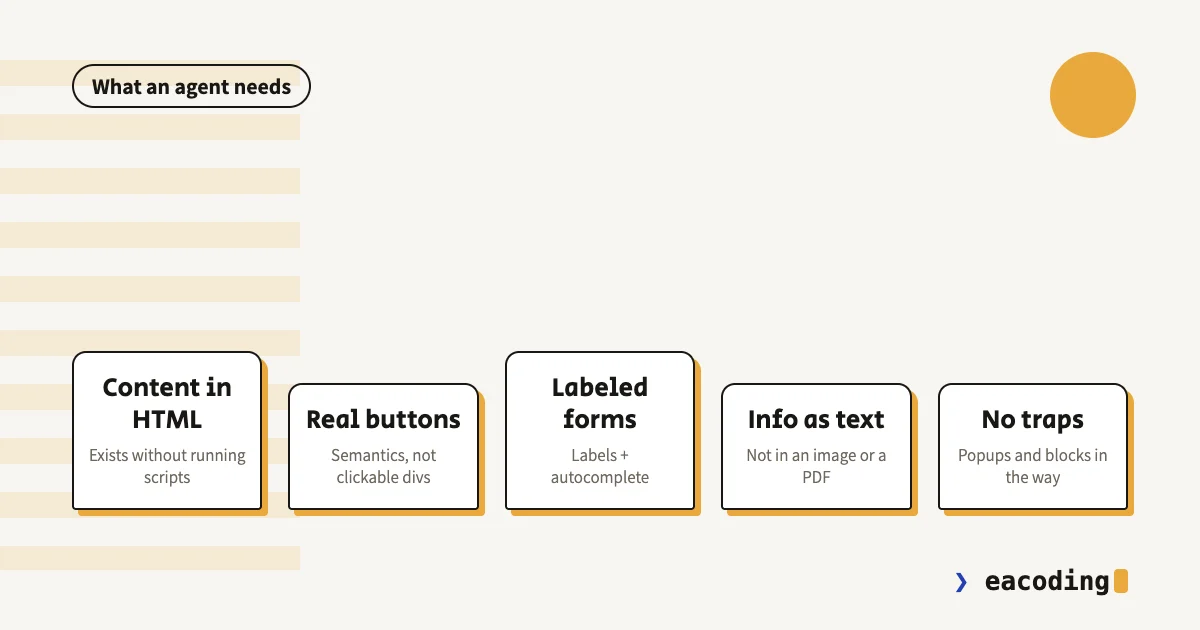
Content that really exists in the HTML. An agent reads the page the way a browser receives it. Content drawn only after a chain of scripts - a menu that loads late, a price list arriving from a plugin - can be invisible to it, exactly as it is to Google.
Buttons that are buttons. A clickable div that looks like a button works for a human with a mouse; an agent (and a screen reader, and a keyboard) looks for real elements: a button, a link, a labeled field. Semantics isn't a developer indulgence - it's the language machines understand.
Forms with labels and marked fields. An agent filling a form identifies each field by its label and its autocomplete markers. A form with placeholders only, no labels, and required fields that reveal themselves after submission - fails agents and humans alike, as I wrote in the landing-page guide.
Important information as text, not as an image. Opening hours in an Instagram image, a menu as a scanned PDF, a phone number that appears only inside the logo - all invisible to an agent. Whatever matters should be written.
No traps on the way to the action. Popups that can't be closed with a keyboard, aggressive human-verification on every form, a chat widget covering the button - every such point of friction fails agents today, and has been failing people for years.
The Good News: You've Met This Website Before
Notice what happened in the list above: there isn't a single new requirement in it. Real content in HTML, semantics, labels, text over images, no traps - that is precisely the requirement list of the Israeli accessibility standard, and what Google has asked for all along.
That's no coincidence: a blind person's screen reader and an AI agent approach a site the same way - through the structure, not through the eyes. A genuinely accessible site is a site machines know how to use. The accessibility investment, which is an obligation anyway, turns out to be the best preparation for the agent era - for free.
What's Not Worth Doing
Panicking. Most enquiries still come from humans, and that will stay true for a while. Agents are a reason to get the foundations in order, not to rebuild everything.
Buying "agent optimization". Just as there's no "add me to ChatGPT" button, there's no magic powder for agents. Whoever sells you one is selling the same foundations in new wrapping - or less than that.
Blocking without deciding. A blanket bot block configured once can today also block an agent trying to leave an enquiry on behalf of a real customer. Blocking is your right - just make it a decision, not a leftover.
The Fifteen-Minute Check
- Unplug the mouse. Walk the site with keyboard only: Tab between fields, Enter to submit. Anywhere you got stuck - an agent gets stuck too.
- Turn JavaScript off for a moment (or view an important page's source) and see whether the core content is there.
- Give an agent a task. Open agent mode in one of the new browsers and ask: "leave an enquiry on my site with the name X". Watching it work - or get stuck - is worth a thousand articles.
- Look for the critical information as text. Hours, address, phone, prices if any - if it's only in an image, it doesn't exist.
Bottom Line
AI agents don't demand a new website - they demand the website that was always the right one to build: fast, accessible, semantic, with real content instead of cosmetics. Whoever built that way is ready today for the visitor that hasn't arrived yet; whoever didn't now has one more reason, and this time it fills forms.
Want to know whether an agent can actually leave an enquiry on your site? Send it to me - I'll test it and tell you exactly where it gets stuck.
FAQ
What is an AI browser or browsing agent?
Software that browses websites on the user's behalf: it opens pages, reads content, clicks buttons and fills forms to complete a task it was given - comparing prices, finding a vendor, leaving an enquiry. The major browsers and assistants already ship such an agent mode.
Do you need to build a special website for AI agents?
No. An agent succeeds on exactly the sites humans and machines have always succeeded on: content that exists in the HTML, buttons and forms with real labels, important information as text rather than images. A site built accessibly to the standard already meets nearly all of these requirements.
Should you block AI agents from your site?
That's a business decision, not a technical default. An agent you blocked is a customer who didn't leave an enquiry. There are legitimate reasons to block, but make it a conscious choice - and remember that some blocks set up two years ago were simply forgotten there.
More from the blog
Is an Accessibility Plugin Enough to Comply With Israeli Law?
A floating accessibility widget doesn't make a site comply with IS 5568. What the widget really does, where it fails, why it sometimes hurts, and what does cover you.
7 min readHow to Write a Website Accessibility Statement in Israel (With a Template)
The accessibility statement under Regulation 35: what the regulations require in it, where to put it, what never to write, and a template you can adapt to your site.
7 min readHow Do You Back Up a Website Properly? What, Where, and How Often
A backup that actually saves you: what must be in it (not just files), where never to store it, how often by site type - and how to know it works at all.
6 min read
Reaching me is the easy part.
A few lines in the form if you prefer writing - or straight to the channel you already use. Either way, it's me answering.